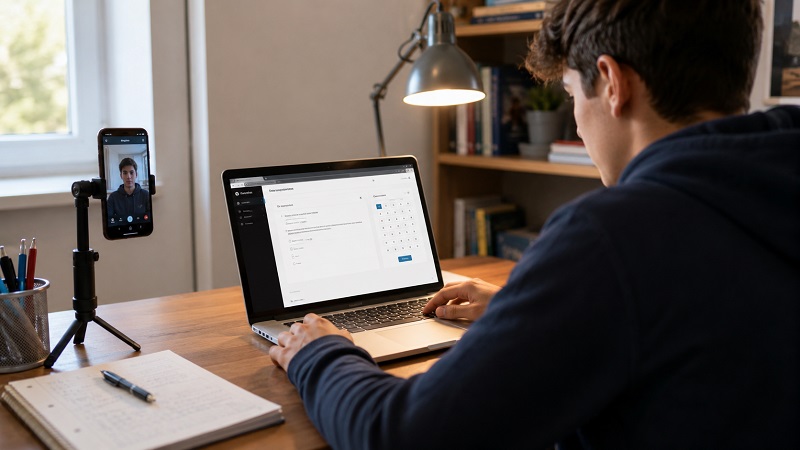
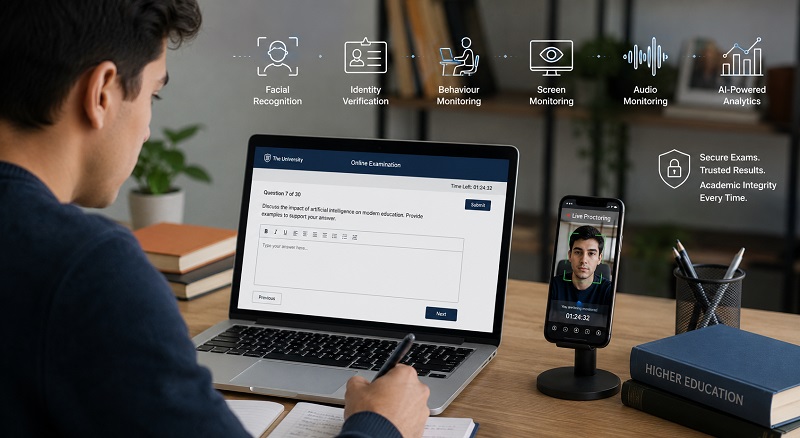
As education rapidly evolves into a hybrid and digital-first model, remote exam proctoring has become essential. More institutions are adopting online assessments to increase accessibility, reduce administrative burden, and offer flexibility to students. However, this shift also presents significant challenges for exam integrity, technology reliability, and student experience.
In South Africa and beyond, universities, colleges, and professional education providers must navigate these issues while upholding rigorous standards. This article outlines the most pressing challenges in remote exam proctoring and offers practical solutions using secure exam tech and online assessment tools.
1. Verifying Student Identity Remotely
One of the primary concerns for remote proctoring is ensuring that the student taking the exam is the correct person. Without face-to-face interaction, verifying identity becomes a challenge.
Solution:
Use biometric authentication methods such as facial recognition or voice analysis. Tools like The Invigilator App allow institutions to compare live facial data with stored profiles, ensuring only authorised students access the assessment. Multi-factor authentication can also be applied by requiring students to log in via email or mobile verification alongside a biometric check.
2. Preventing Cheating Without Physical Supervision
Traditional exam rooms allow invigilators to walk around and observe students. In online exams, that physical presence is missing, making it easier for students to seek unauthorised assistance or use prohibited materials.
Solution:
Online proctoring platforms incorporate screen recording, webcam monitoring, and AI behaviour tracking to flag suspicious activity. AI can detect eye movement, background noises, multiple faces, or screen switching. Advanced tools can alert examiners in real time and store recordings for review.
3. Dealing with Internet Connectivity Issues
South African students often face unstable internet, particularly in rural areas. This can disrupt proctoring tools that rely on real-time data transmission, resulting in incomplete exams or failed submissions.
Solution:
Choose proctoring tools designed for low-bandwidth environments. The Invigilator App supports offline functionality by allowing students to record locally and upload when connectivity improves. This ensures fairness across all socio-economic backgrounds.
4. Ensuring Exam Content Security
Exam papers, questions, and answer keys must be protected from leaks or unauthorised sharing. In a digital format, these assets can be easily downloaded or screen-captured if not securely managed.
Solution:
Implement secure exam tech that encrypts content at rest and during transmission. Use timed exams with randomised question banks to reduce sharing. Lockdown browsers and copy protection tools also help prevent content theft.
5. Managing Student Anxiety in Remote Settings
Not all students are comfortable with being monitored digitally. Concerns about privacy, unfamiliar technology, and the pressure of being watched can increase anxiety and affect performance.
Solution:
Provide clear communication and training sessions before the exam. Allow practice tests to help students get familiar with the platform. Choose tools with a user-friendly interface that prioritise privacy, such as giving students control over their camera view and data permissions.
6. Handling Technical Failures During Exams
Technical issues such as app crashes, battery failure, or video not recording can compromise the validity of the exam. These are common in remote setups, especially when students use personal devices.
Solution:
Use proctoring platforms that auto-save and resume sessions. The Invigilator App, for example, stores data locally and syncs once the device is back online. Institutions should also provide guidelines for backup plans, such as alternative devices or rescheduling policies.
7. Maintaining Fairness Across Different Exam Conditions
Remote exams introduce inconsistency in student environments. Some may be in quiet rooms with stable internet, while others face noise, distractions, or power cuts.
Solution:
Offer multiple time slots and flexible windows for taking the exam. Incorporate a mix of synchronous and asynchronous assessments. Use AI tools to monitor context and flag irregularities so human reviewers can make informed decisions.
8. Ensuring Data Privacy and Legal Compliance
Collecting biometric data, video recordings, and audio raises privacy concerns. South African institutions must comply with POPIA, while international ones must also consider GDPR.
Solution:
Only use platforms that meet local and global data protection laws. Data should be stored securely, encrypted, and deleted after a set retention period. The Invigilator App is built to respect privacy while maintaining exam integrity. Always inform students about what data will be collected and why.
Remote exam proctoring is no longer a luxury. It is a necessity for modern education systems aiming to scale, maintain standards, and support student needs in a digital environment. While the challenges are real, they are not insurmountable.
By leveraging smart online assessment tools, institutions can ensure fairness, compliance, and academic honesty. Solutions like The Invigilator App prove that remote proctoring can be secure, inclusive, and efficient when done correctly.
Ready to implement secure remote exams for your institution?
📩 Visit our Contact Page
FAQs & Answers
1. What is remote exam proctoring?
Remote exam proctoring involves supervising online exams using technology such as webcams, screen monitoring, and AI to prevent cheating.
2. How can identity be verified during remote exams?
Student identity is verified using facial recognition, voiceprints, or multi-factor authentication to ensure only registered students can take the exam.
3. Can remote proctoring work without constant internet?
Yes. Some tools like The Invigilator App allow offline recording and later syncing, which is ideal for low-bandwidth regions.
4. What tools detect cheating in online exams?
AI-based tools can detect suspicious behaviour like eye movement, multiple people in the room, or switching windows during the exam.
5. How are students’ privacy concerns addressed?
Proctoring platforms must comply with data protection laws, encrypt data, and inform students about what is collected and how it is used.
6. What happens if a student loses connection?
Good proctoring tools auto-save data and allow resumption. Some offer recovery options like syncing once reconnected or alternative submission.
7. How can institutions ensure fairness in remote exams?
They can allow flexible timings, provide practice tests, use AI to detect anomalies, and have human reviewers assess flagged cases.
8. Are online proctoring tools expensive?
Costs vary, but many tools are designed to be affordable and scalable. The Invigilator App is built for accessibility and cost-efficiency.